This SteelSeries Apex Pro Mini review looks at a compact gaming keyboard built around adjustable magnetic switches and per-key actuation settings.
Apex Pro Mini Review Summary
The quick verdict
1,000+ ratings
Read Amazon ReviewsSteelSeries Apex Pro Mini
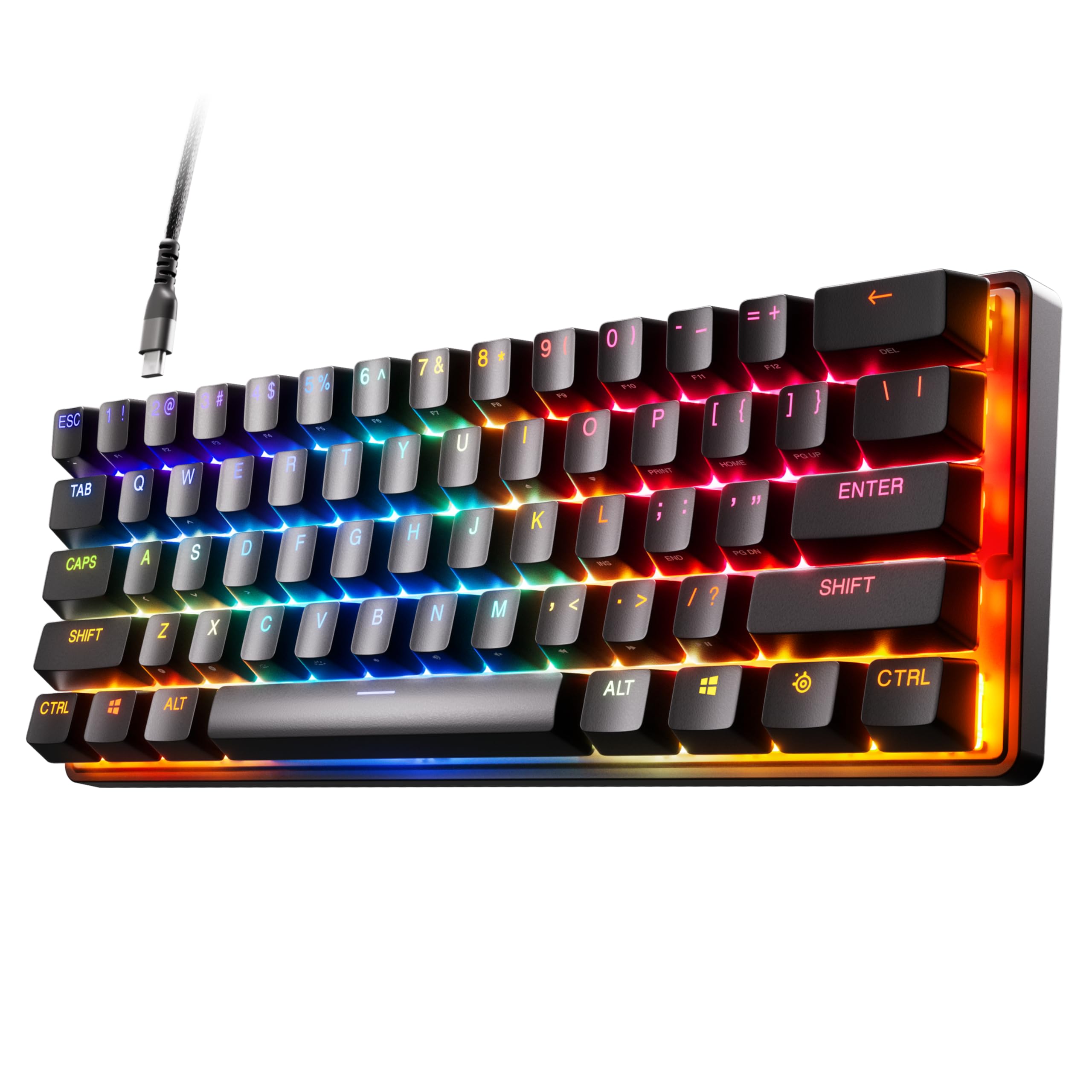
A compact gaming keyboard for players who want per-key actuation control and a smaller 60% layout.
- 60% form factor with full-size functionality.
- OmniPoint adjustable HyperMagnetic switches offer 40 per-key actuation levels, from 0.1–4.0mm.
- Rapid Trigger dynamically activates and deactivates keys based on travel distance.
- Program two actions on one key, such as walking with a light touch and sprinting with a deeper press.

Pros
- Per-key actuation can be adjusted across 40 levels.
- Rapid Trigger uses travel distance for dynamic activation and deactivation.
Consider before buying
- Mac users should check which software features they need, since not all are supported on Mac OS.
- The 60% layout may not suit buyers who prefer a conventional full-size keyboard arrangement.
Read the full review summary
The Apex Pro Mini combines a 60% form factor with OmniPoint 2.0 adjustable HyperMagnetic switches, letting players set actuation separately for individual keys.
Its compact layout may suit a desk where space matters, while its full-size functionality aims to keep a broader set of controls available.
It is a stronger fit for players who want to customize key response and assign two actions to one key than for buyers seeking a conventional, full-size layout.
Windows, Xbox, PlayStation, and Mac OS X compatibility broadens its use, though not all software features are supported on Mac OS.
The buying factors
Apex Pro Mini Scorecard
Editorial scores reflect listed features and buyer fit; they are not laboratory measurements or customer ratings.
Actuation customization
Forty per-key actuation levels let players tailor key response across the stated 0.1–4.0mm range.
Compact layout
The 60% form factor keeps the keyboard compact while retaining full-size functionality.
Key assignment flexibility
Two actions can be programmed to the same key, allowing separate light and deep presses to trigger different actions.
Rapid Trigger feature set
Rapid Trigger dynamically activates and deactivates keys based on travel distance rather than a fixed point.
Platform compatibility
Compatibility covers Windows, Xbox, PlayStation, and Mac OS X, with a Mac software feature limitation.
Connection and construction
A detachable USB-C connection and premium aluminum top plate are practical design features for a wired keyboard.
Key Features and Specifications of Apex Pro Mini
- 60% form factor with full-size functionality.
- OmniPoint adjustable HyperMagnetic switches offer 40 per-key actuation levels, from 0.1–4.0mm.
- Rapid Trigger dynamically activates and deactivates keys based on travel distance.
- Program two actions on one key, such as walking with a light touch and sprinting with a deeper press.
- Premium aluminum top plate and detachable USB-C connection.
- Compatible with Windows, Xbox, PlayStation, and Mac OS X; a USB port is required.
Pros and Cons of Apex Pro Mini
Pros
- Per-key actuation can be adjusted across 40 levels.
- Rapid Trigger uses travel distance for dynamic activation and deactivation.
- One key can be programmed for two different actions.
- The 60% form factor is paired with full-size functionality.
- The design includes an aluminum top plate and detachable USB-C.
Consider before buying
- Mac users should check which software features they need, since not all are supported on Mac OS.
- The 60% layout may not suit buyers who prefer a conventional full-size keyboard arrangement.
Who Should Buy Apex Pro Mini?
Good fit
Choose the Apex Pro Mini if you want a compact gaming keyboard with per-key actuation adjustments and Rapid Trigger.
The 60% form factor is paired with full-size functionality, making it worth considering when a smaller footprint matters but a stripped-back feature set does not.
It also suits players who want to map two actions to one key, or use different actuation depths for movement and ability keys.
Those customization options are most relevant if you are prepared to configure the keyboard around your games.
The listed platform range includes Windows, Xbox, PlayStation, and Mac OS X. Mac users should make sure the software features they rely on are supported before choosing it.
Who should skip it
Skip it if your priority is a conventional full-size layout: its compact 60% form factor is a defining part of the design, even with full-size functionality.
Mac users who depend on the keyboard software should check compatibility with their required features, because the Mac version does not support all software features.
Apex Pro Mini Review: Compact Control for Gaming
Actuation customization
The keyboard's central draw is per-key actuation: 40 levels across 0.1–4.0mm give players room to set lighter or deeper activation points for different keys.
That is useful for tailoring movement and ability inputs, but the practical benefit depends on whether you want to customize those settings.
Rapid Trigger and two-action keys
Rapid Trigger bases activation and deactivation on key travel distance rather than a fixed point.
Separately, two different actions can be assigned to one key, such as walking on a light press and sprinting on a deeper one; these controls make the most sense for players who will configure them for specific games.
Layout and connection
A 60% form factor keeps the layout compact, while the full-size functionality aims to preserve broader keyboard use.
The aluminum top plate and detachable USB-C connection round out the physical design; buyers should decide whether this compact arrangement matches their preferred layout.
Platform and software fit
Windows, Xbox, PlayStation, and Mac OS X are included in the compatibility range, and a USB port is required.
Mac OS has a software feature limitation, so users who depend on particular settings should confirm those features work for their setup before buying.
Alternatives to Apex Pro Mini
Only one clearly documented direct alternative is available: the Apex Pro TKL Gen 3. Other supplied candidates were not close enough matches or duplicated another listing.
Computer Keyboards alternative
500+ ratings
Read Amazon ReviewsSteelSeries Apex Pro TKL Gen 3
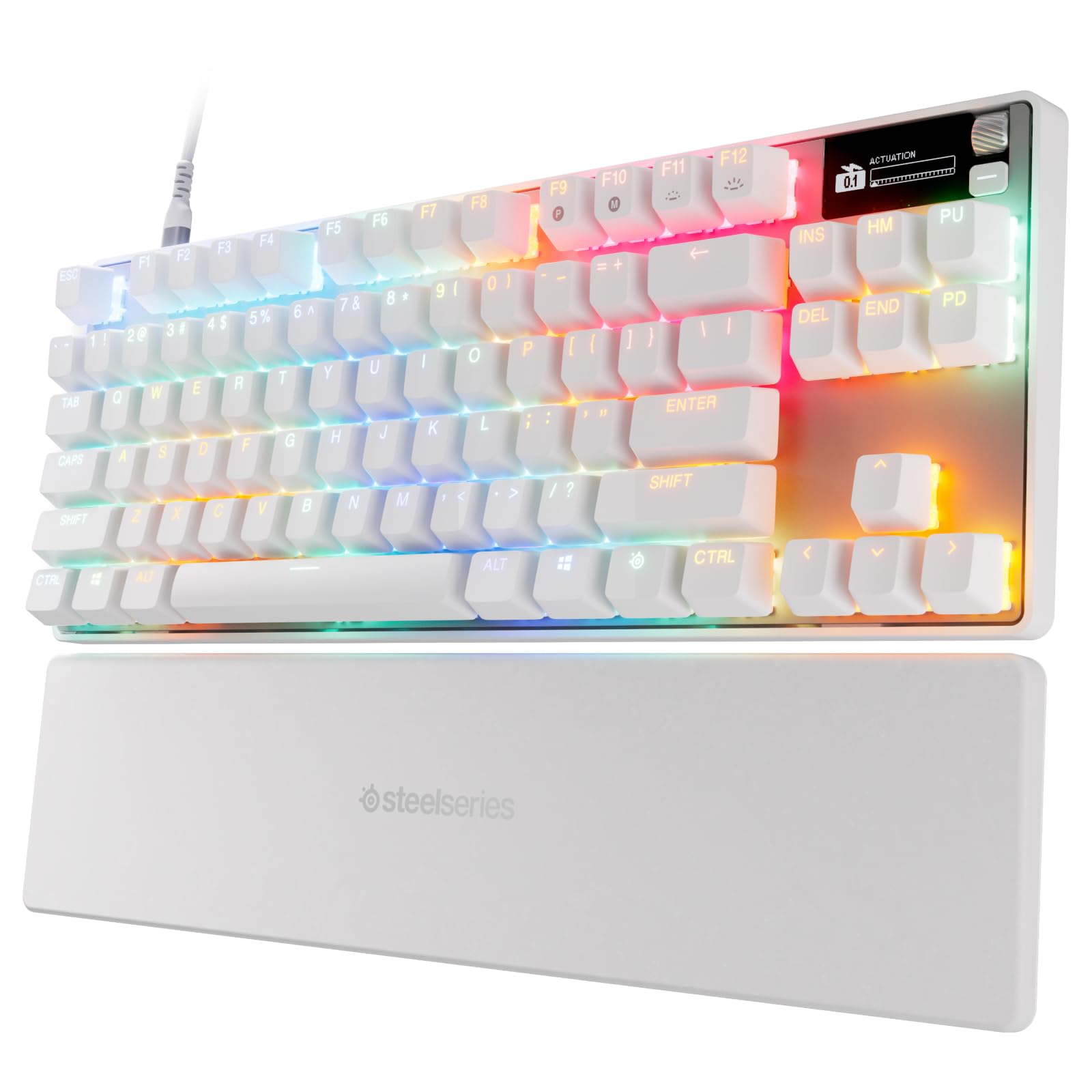
Choose the Apex Pro Mini for its compact 60% form factor and OmniPoint 2.0 switches; choose the Apex Pro TKL Gen 3 if you want its Rapid Tap and Protection Mode features alongside OmniPoint 3.0 switches.
The choice comes down to the Mini's compact layout or the TKL's additional gaming controls.
- The Apex Pro TKL Gen 3 uses OmniPoint 3.0 analog magnetic switches and adds Rapid Tap and Protection Mode.
- Its Quickset auto-presets and OLED smart display provide additional configuration options.
- The Apex Pro Mini pairs a 60% form factor with OmniPoint 2.0 adjustable HyperMagnetic switches and per-key actuation settings.
Is Apex Pro Mini Worth It?
The SteelSeries Apex Pro Mini is worth considering for players who want per-key actuation control, Rapid Trigger, and two-action key programming in a compact 60% layout.
Its full-size functionality may preserve broader use, while the aluminum top plate and detachable USB-C add practical design details.
Buy it if its compact layout and customization match how you play, and check Mac software compatibility if you rely on those features.
If you prefer a conventional full-size arrangement, the 60% layout is the main reason to look elsewhere.
Your review at a glance
1,000+ ratings
Read Amazon ReviewsSteelSeries Apex Pro Mini
A compact gaming keyboard for players who want per-key actuation control and a smaller 60% layout.
- 60% form factor with full-size functionality.
- OmniPoint adjustable HyperMagnetic switches offer 40 per-key actuation levels, from 0.1–4.0mm.
- Rapid Trigger dynamically activates and deactivates keys based on travel distance.
- Program two actions on one key, such as walking with a light touch and sprinting with a deeper press.